Guy who took photo of Jupiter with a Game Boy Camera and giant telescope publishes DIY tutorial - Engadget
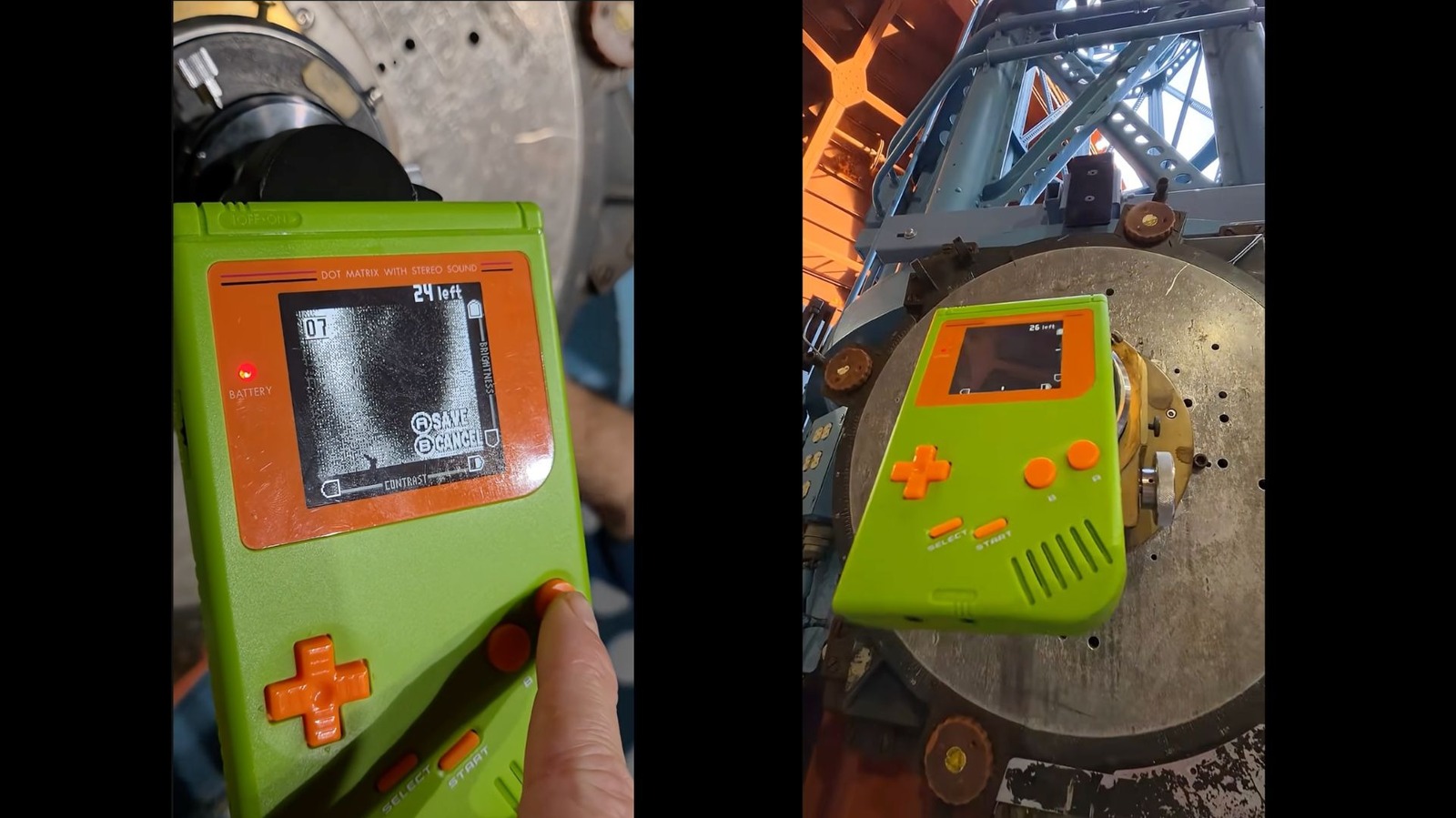
The latest adventure for the kooky camera looks skyward. Musician and retro tech fan Chris Graue made headlines last month after using a Game Boy Camera to take a photo of Jupiter. Obviously, a Game Boy Camera isn't capable of that kind of range on its own. He and some colleagues connected the novelty camera to the eyepiece of the Hooker Telescope at the Mount Wilson Observatory thanks to a 3D-printed adapter. Now, Graue has released the schematics for the adapter, meaning anyone can print their own for free. He's also posted a quick tutorial video about it. Remember my Game Boy Camera Telescope I took a picture of Jupiter with? Now you can too. I'm making the 3d printable lens adapter available for free — Chris Graue {Lo(u)ser} (@chrisgraue.com) 2026-07-08T18:21:33.018Z In his own words, the adapter is "a tube that pressure fits inside of a standard 1.25 inch eyepiece for telescopes." So you may not have access to a telescope powerful enough to see Jupiter, but you can still use it to take some pretty nifty shots with the Game Boy Camera. If space isn't your jam, there are plenty of other creative things modders and DIYers have done with their Game Boy cameras over the years. We'v
Source: For the complete article, please visit the original source link below.